![SUST-Logo-Full_Black (2) (1).png]](https://knowledgebase.sustainment.tech/hs-fs/hubfs/SUST-Logo-Full_Black%20(2)%20(1).png?height=40&name=SUST-Logo-Full_Black%20(2)%20(1).png)
When a customer invites you to quote on an RFQ, it appears in Sustainment as an opportunity. This article shows you how to find the opportunity, review the RFQ, and send your quote.
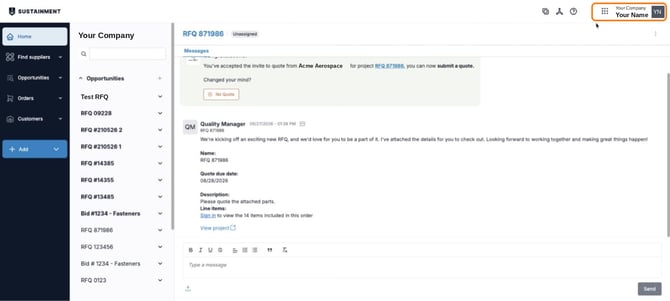
Switch to the supplier experience
1. Sign in at portal.sustainment.tech.
2. Click the nine-dot menu next to your name in the top-right corner, and make sure Supplier is selected.
Find your opportunity
3. In the left menu, click Opportunities, then select In progress. This lists every opportunity you've been invited to quote, with the customer name, opportunity team, and quote due date.
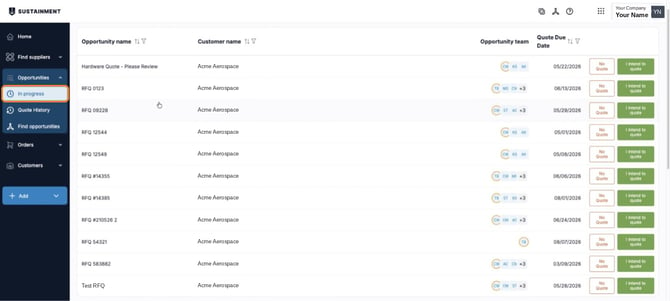
4. Click an opportunity to open it.
Review the RFQ
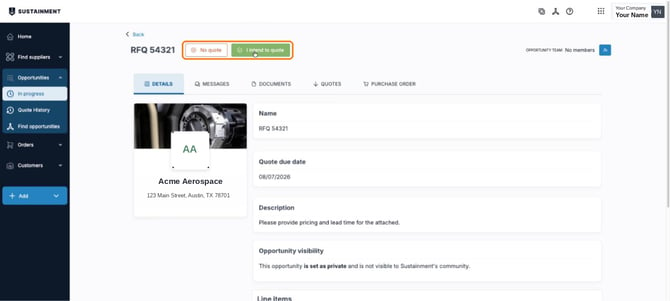
5. The Details tab shows the RFQ name, quote due date, description, and the line items to quote, along with any attached files.
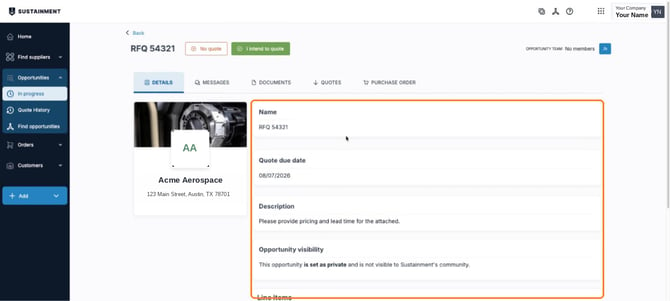
6. Let the customer know whether you plan to quote:
- Click I intend to quote if the opportunity is a good fit.
- Click No quote if you're going to pass.
You can change this later. You can also make this choice straight from the In progress list.
Submit your quote
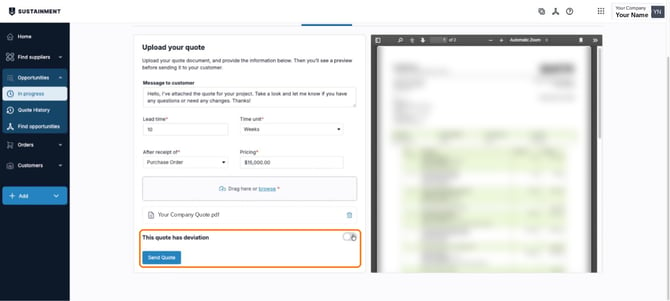
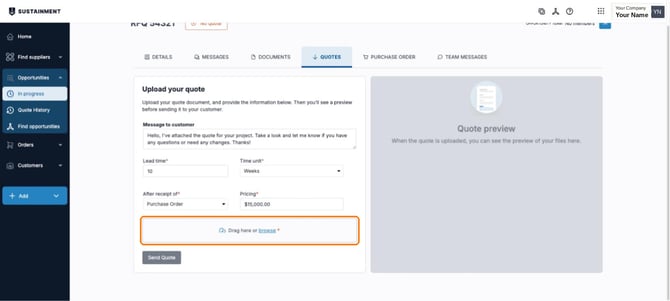
7. Open the Quotes tab. Under Upload your quote:
- Review the Message to customer. It's filled in for you, and you can edit it.
- Enter the Lead time, Time unit, After receipt of, and Pricing. All four are required.
- Drag your quote file into the upload area, or click browse.
Once the file loads, a preview appears on the right so you can check it before sending.
8. If your quote includes any deviations from the RFQ, turn on This quote has deviation and list them.
9. Click Send Quote to submit your quote to the customer.